22 Jun 2013
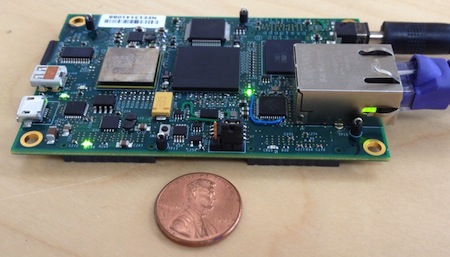
The idea of owning a 64-core parallel system for two hundred dollars (yes, $200.00) is exciting. Parallella is working to make that happen, perhaps as early as August 2013. To prepare for that day, I’ve decided to introduce myself to the Go language.
Continue reading →
21 Jun 2013
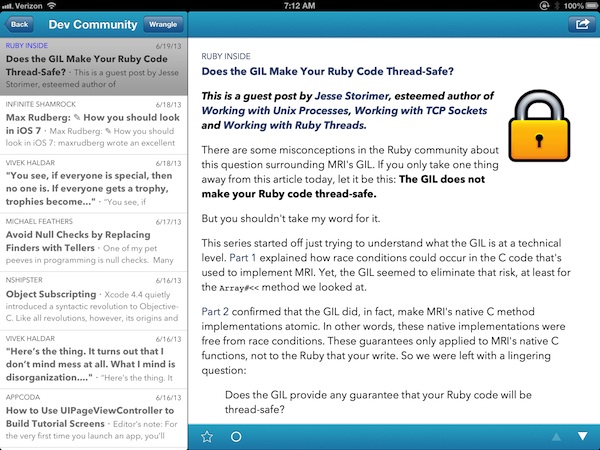 Google Reader, the RSS product, shuts down on July 1st. I consume most news via RSS, and the ability to sync multiple RSS clients between iPhone, iPad, and desktop with Google Reader in the background saved time while keeping me informed. Finding a replacement is critical.
Fortunately, strong alternatives are emerging. Feed Wrangler is a Google Reader replacement by independent developer David Smith. Here are my first impressions.
Continue reading →
13 Jun 2013
This afternoon I was invited to speak at the June Table Talks hosted by Table XI. Today’s theme was developer education. My topic: Practice Begins With Play. Developers who want to achieve mastery have many practice resources to choose from, including open source hardware like Raspbery Pi, BeagleBone Black, and Parallella.
Continue reading →
31 May 2013
 Braintree hosted a Hax ‘n Snax event this afternoon. Devs from around Chicago gathered together to hack on code, socialize, trade ideas, and hone skills. Thanks Braintree for putting on a great event.
My Hax ‘n Snax time was spent interacting with other devs and experimenting with a Linux distro that I just discovered, Kali Linux.
What is Kali Linux?
Kali is a fairly new Linux distro designed for digital forensics and penetration testing. If you’re looking for a general purpose Linux distro, Ubuntu would be a better choice. Kali is the successor of BackTrack. The developers of Kali and BackTrack, Offensive Software, state that “Kali is a more mature, secure, and enterprise-ready version of BackTrack Linux.” You can download it at Kali.org.
Continue reading →
22 May 2013
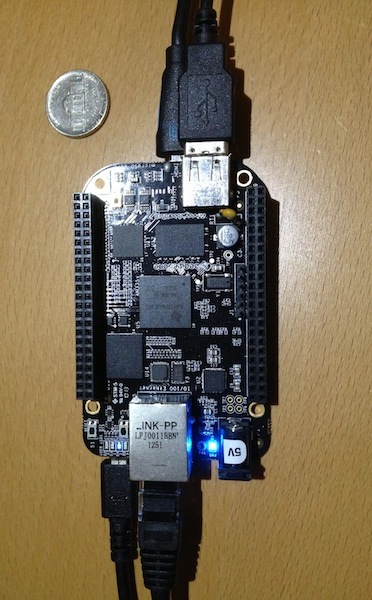 BeagleBone Black, like the Raspberry Pi, is a small, inexpensive computer that runs Linux. It’s smaller than a deck of cards and you can buy one for about forty-five dollars ($45.00). The device is made by CircuitCo in Richardson, TX, USA.
It Just Works
BeagleBone Black runs Linux right out of the box. Steps required:
- Plug in the micro-HDMI cable for the monitor. See the “Gotchas”
section about micro-HDMI below.
- Plug in the keyboard & mouse via the USB port. You might need a USB hub because the board only has one USB port.
- Add power via the mini-USB port or the 5v power connection.
After a few minutes of boot time, we have a fully-functioning Linux computer with a GUI, Firefox browser, and other tools.
Continue reading →